How to configure HubSpot
Integrations
Features offered
The features offered are the following:
- Making calls from HubSpot with a single click on the contact's phone number.
- Informative popup for incoming calls indicating the contact, opportunity, or organization from whom the call is being received.
- Logging of calls made with their recording.
- Receiving calls on the PBX terminals with the contact's name obtained from HubSpot.
Along with the Google Chrome extension (see How to configure Google Chrome extension) and with the Monema application, you will be able to do the following:
- Upon receiving and answering a call, or making a call to/from that contact, you will be able to access the contact's record in HubSpot. If the contact does not exist, it will allow you to create a contact or company.
Requirements
- Have a Monema account; if you don't have one, click on Free Trial.
- Have a HubSpot account; there are no restrictions regarding the plan you have contracted.
1. Link the account in the PBX panel
- Access the PBX panel with administrator user credentials.
- Once inside, click on the menu option «Integrations» > Find the HubSpot integration and activate the switch.
Once activated, click on "Configuration".
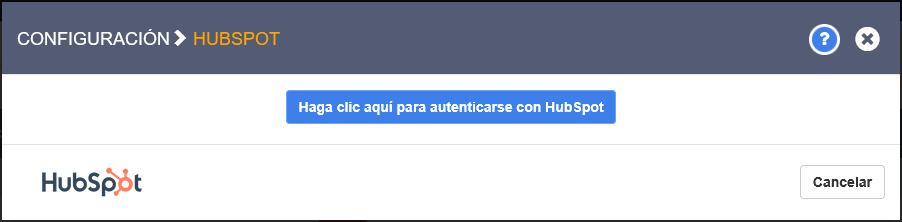
- The first time, only the button "Click here to authenticate with HubSpot" will appear. Click the button.
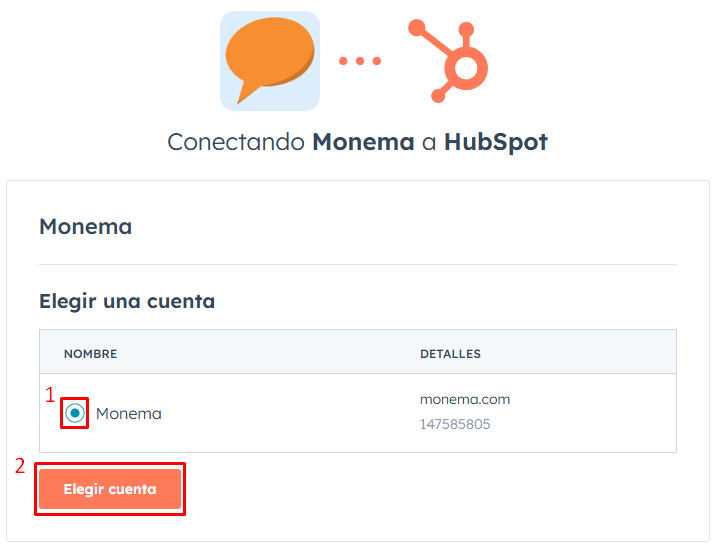
- Next, it will take you to the HubSpot page that will ask you to select your account. Select your HubSpot account and click on "Choose account".
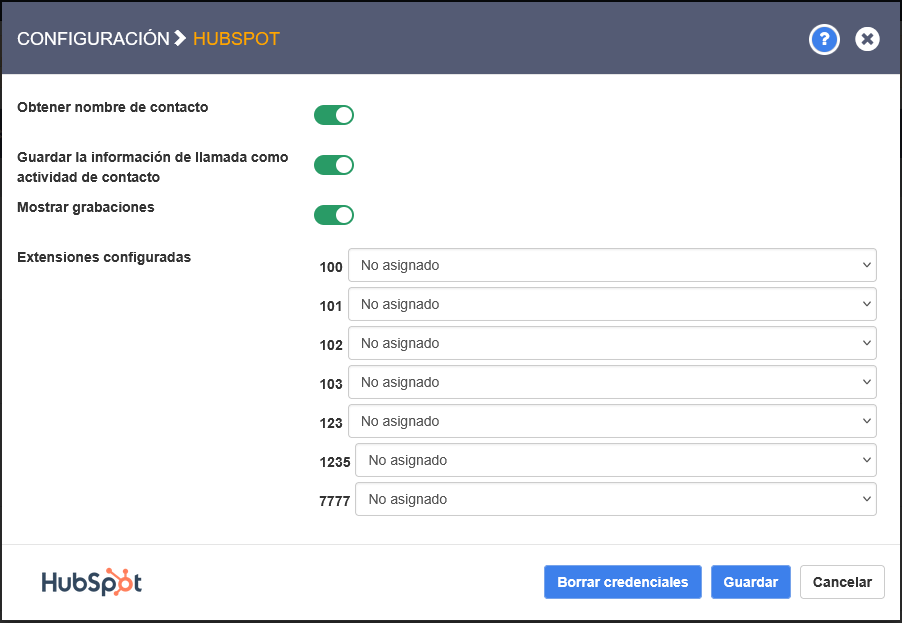
- Once done, it will redirect you to the PBX panel. Several configurations will appear there:
- Get contact name -> When an outgoing call is made or an incoming call is received, the contact's name will be obtained based on the phone number.
- Save call information as contact activity -> Allows creating an activity associated with the contact who called.This option enables the other two: "Show recordings" and "Configured extensions".
- Show recordings -> It will send the call recording to HubSpot, which can be listened to from the activity itself.
- Configured extensions -> Here, the link between Monema extensions and HubSpot users is defined in order to assign each activity to its corresponding owner.
- Once you finish configuring the integration, click on "Save".
2. Configure the default calling app in HubSpot
*This option will require you to have the Monema App installed on your computer to originate calls, even in assistant mode.
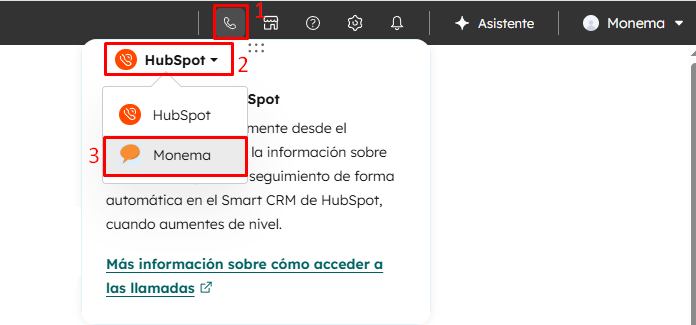
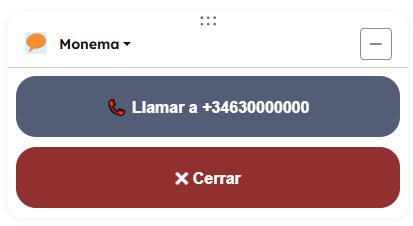
For the call to be made when you click the call button or when you click on a phone number, it is necessary to select the Monema APP.
This is done in the HubSpot panel, in the upper right bar, on the phone icon.